
New Gang Sheet Builder Features – Specialty Films Support and Halftoning
The DTF Gang Sheet Builder has recently received a major upgrade, introducing new features and workflow improvements designed to make selling and scaling easier than ever. These updates help streamline the creation of standard gang sheets while also giving you more ways to introduce new products and sell them conveniently through the same builder – without adding extra manual work for your team. In an increasingly competitive DTF market, standing out with more than just standard prints matters, and these new capabilities make it easier to expand your offer, improve efficiency, and differentiate your business from the competition.
Sell More Gang Sheets with with the First Tool on the Market to Support Specialty Films
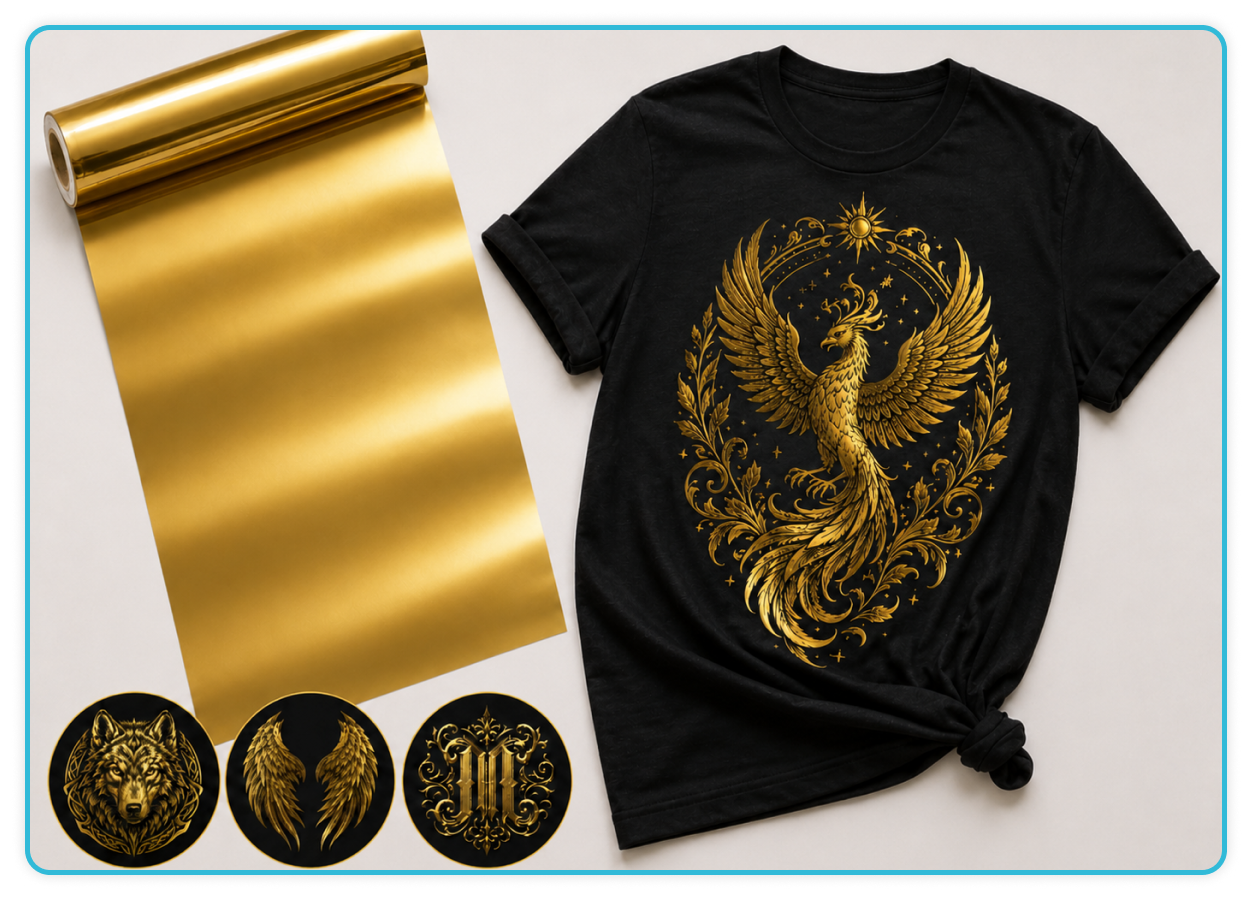
Choosing specialty films for DTF printing is a great way to make garments stand out from standard prints, increase your margins, and attract customers looking for more premium products. One of the biggest advantages is that you can create eye-catching visual effects without investing in new machines, special inks, or advanced RIP software configurations. The entire printing, powdering, and heat-pressing process remains exactly the same as with standard DTF film. Now, specialty films are also supported directly in the DTF Gang Sheet Builder, so your customers can order gang sheets just as they normally would and preview the final effect directly in the tool before placing their order.
How to Order Specialty Film Gang Sheets with the DTF Gang Sheet Builder
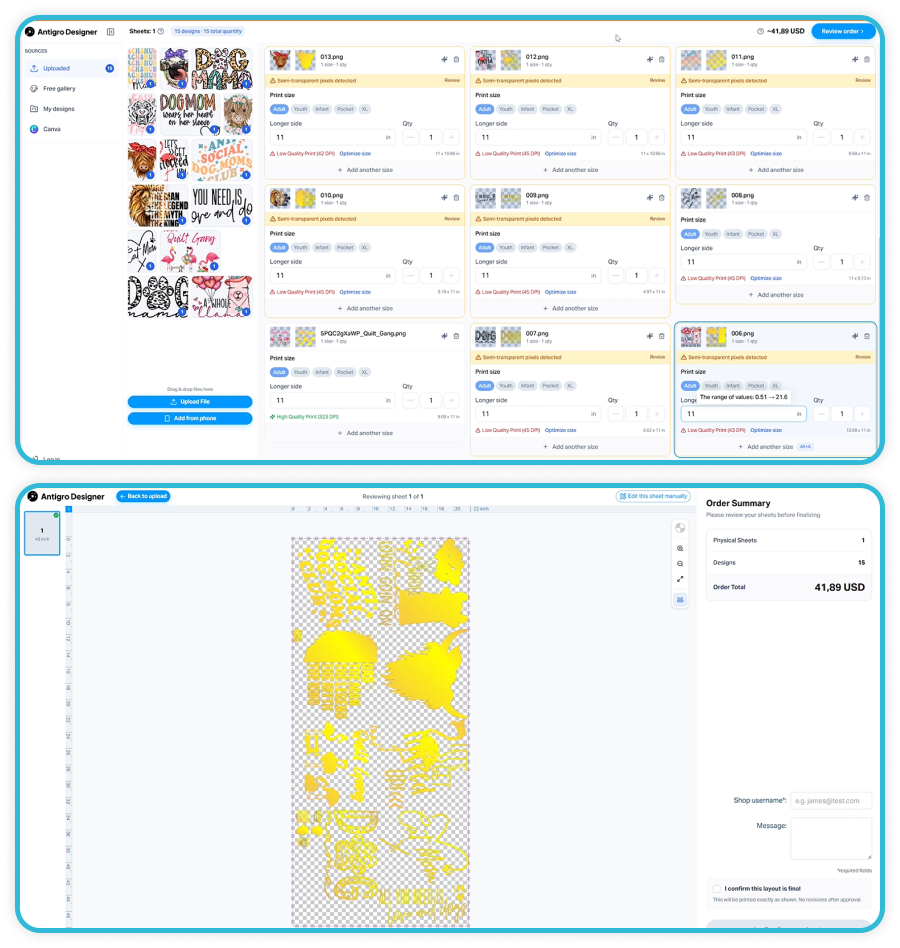
Upload your designs and they’ll automatically appear in the DTF Gang Sheet Builder, with specialty film previews displayed next to each design thumbnail.
When you hover over a thumbnail, you’ll see a larger preview of the uploaded artwork or a preview of how it will look on gold foil.
Choose the size and quantity for each design, then click Review Order.
You’ll then see a preview of the complete gang sheet with the specialty film effect applied.
Good to know: Sell prints on specialty films as separate products. This way, the customer orders the entire gang sheet specifically for that film. Our tool generates a print-ready file that you can download directly from the DTF Gang Sheet Builder and simply print the whole sheet on the selected specialty film.
More Control Over Every Color – Color Knockout, Replacement, Adjustment & Halftoning
With the latest DTF Gang Sheet Auto Builder update, we’ve added new color editing options, including Color Knockout, Replacement, Adjustment & Halftoning, giving you much more control over how designs are prepared for print. Halftoning breaks solid areas into a pattern of small dots, making DTF prints softer, more breathable, more flexible, and less prone to cracking on stretch fabrics. It can also significantly reduce white ink usage, helping lower production costs while minimizing issues such as dye migration on polyester garments. At the same time, halftoning makes it easier to create smoother tonal transitions, shadows, highlights, and blended effects that give the final print a lighter, more premium feel.
How to Edit Colors and Apply Halftoning in the DTF Gang Sheet Builder
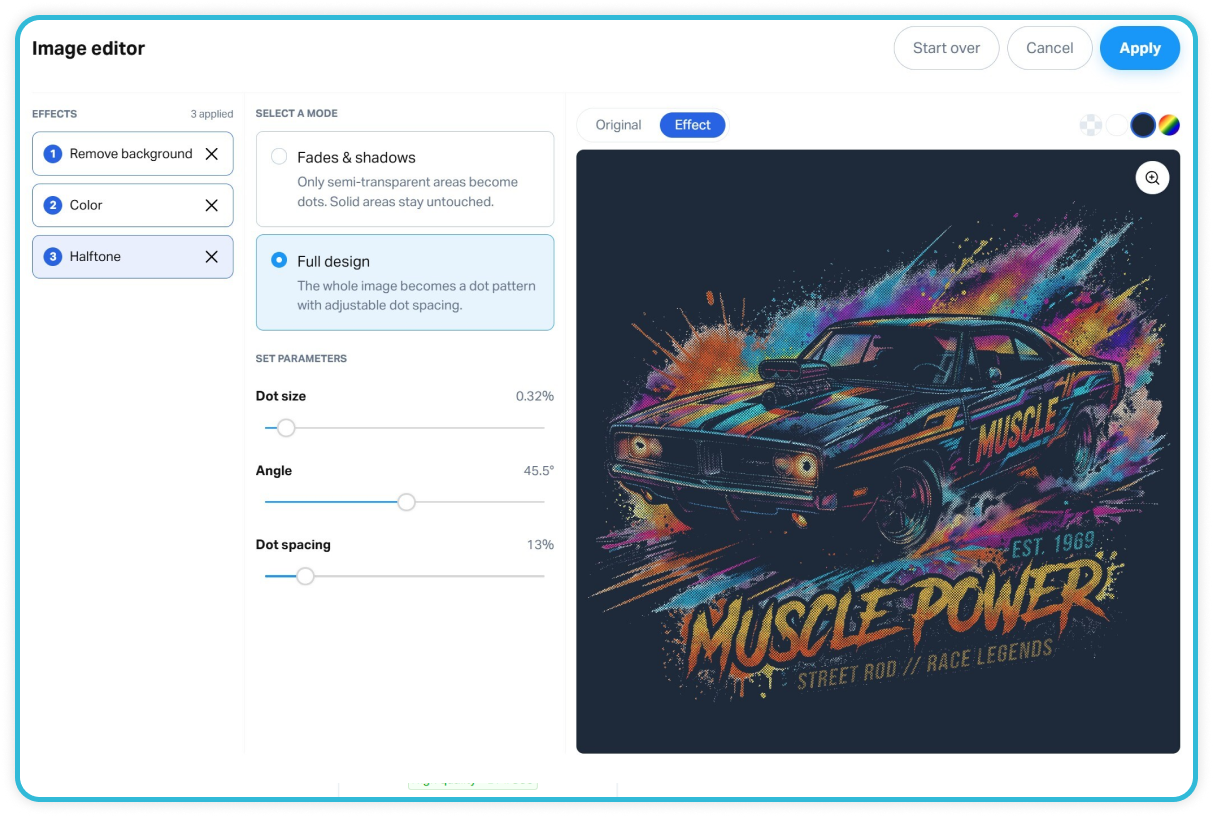
After entering the Image Editor, you can remove the background using Remove Solid Color or All Solid Colors.
In the Color tab, you can remove a selected color. This is especially useful when your graphic contains the same color as the apparel the design will be applied to. After choosing this option, a color selection window appears along with a slider that lets you adjust the tolerance.
You can also Replace the selected color with another one, or change the entire graphic to a single selected color while keeping its original shape and details.
In the Halftone tab, you can choose between Fades & Shadows and Full Design. Adjust the Dot Size, Angle, and Dot Spacing parameters, and you’ll see the changes live as you edit.
In the upper-left corner, you can switch to the Original tab to compare the original graphic with the applied Effect.