
Meet DTF Gang Sheet Builder 3.0: A Faster, Mobile-Friendly Way to Order DTF Prints
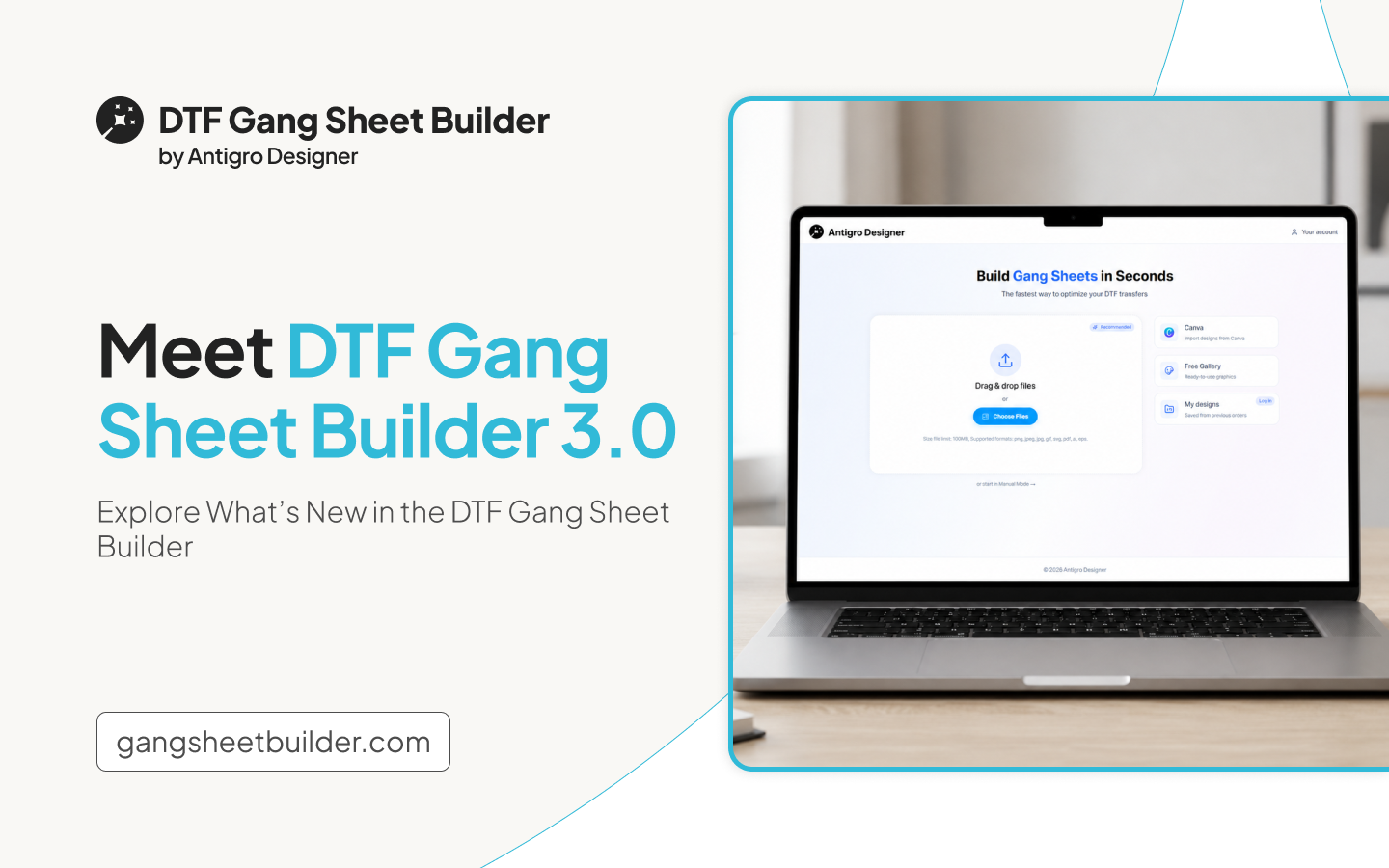
Ordering DTF prints should be simple, whether a customer is preparing their first gang sheet or returning to place another order. That is why we created DTF Gang Sheet Builder 3.0 – an updated version of the tool designed to make the entire ordering process faster, clearer, and more convenient.
The new version introduces a more intuitive workflow, a completely redesigned mobile experience, simpler size selection, live price calculation, automatic background detection, and easier access to previously uploaded artwork. Based on customer conversations and observations of the ordering process, we focused on removing unnecessary steps while giving users greater control over their final gang sheet.
Make Ordering Simple for New and Returning Customers
Many tools feel simple to customers who already understand how DTF gang sheets work. For first-time buyers, however, choosing dimensions, arranging graphics, and preparing print-ready artwork may not always feel straightforward.
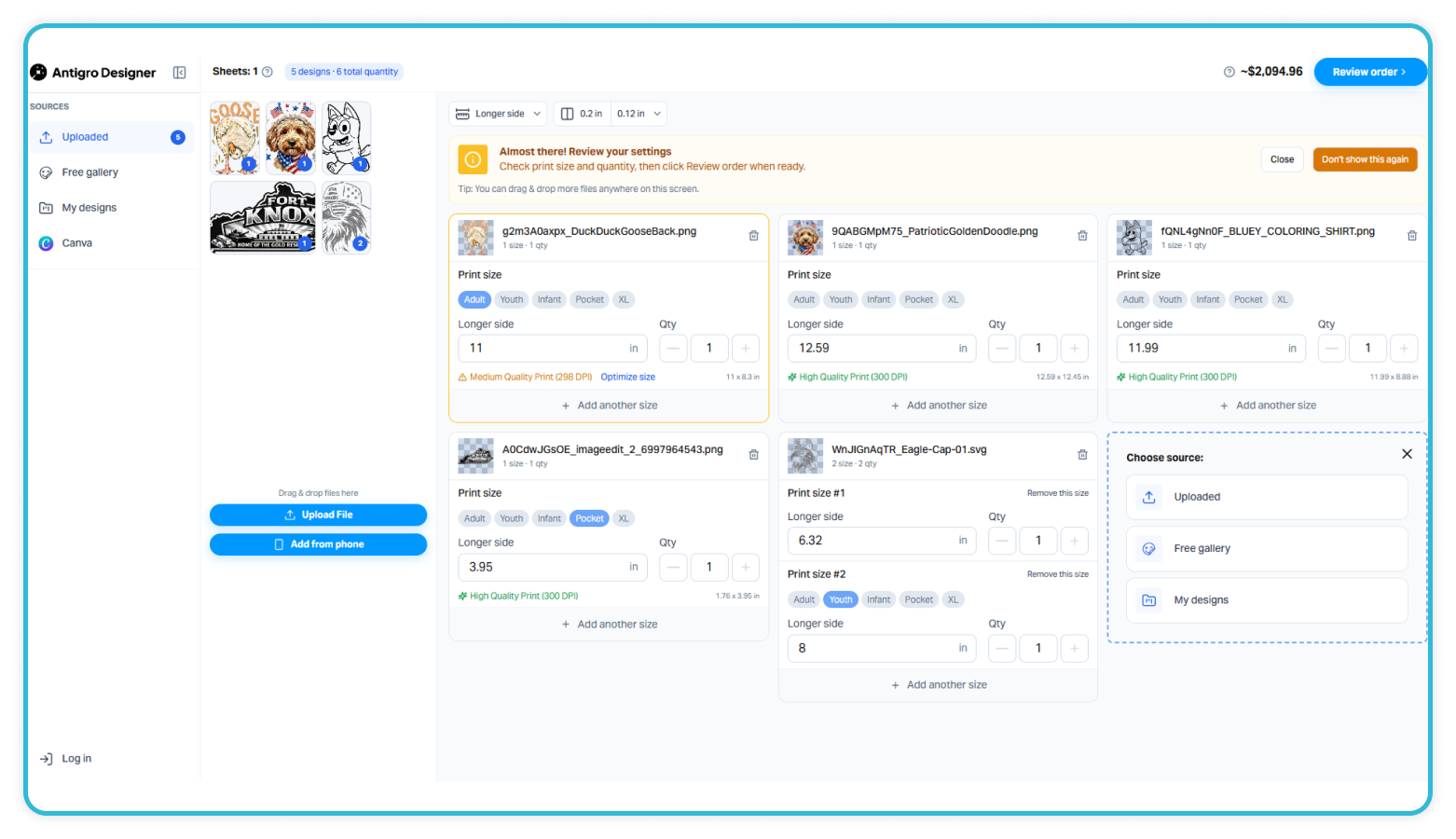
DTF Gang Sheet Builder 3.0 was designed to make the experience intuitive from the very first order. The updated layout guides customers through each stage of the process, helping them upload their designs, select the right sizes, review their order, and prepare a complete gang sheet with greater confidence. A simpler experience can reduce uncertainty for new customers and encourage them to complete their first purchase. At the same time, returning customers still benefit from the quick and efficient ordering process they expect
Create a Smoother Ordering Experience on Mobile
Many customers begin their buying journey on a mobile device. They may discover a store through an advertisement, browse available products, or decide to order DTF prints directly from their phone. That is why mobile ordering was one of the key priorities when designing DTF Gang Sheet Builder 3.0.
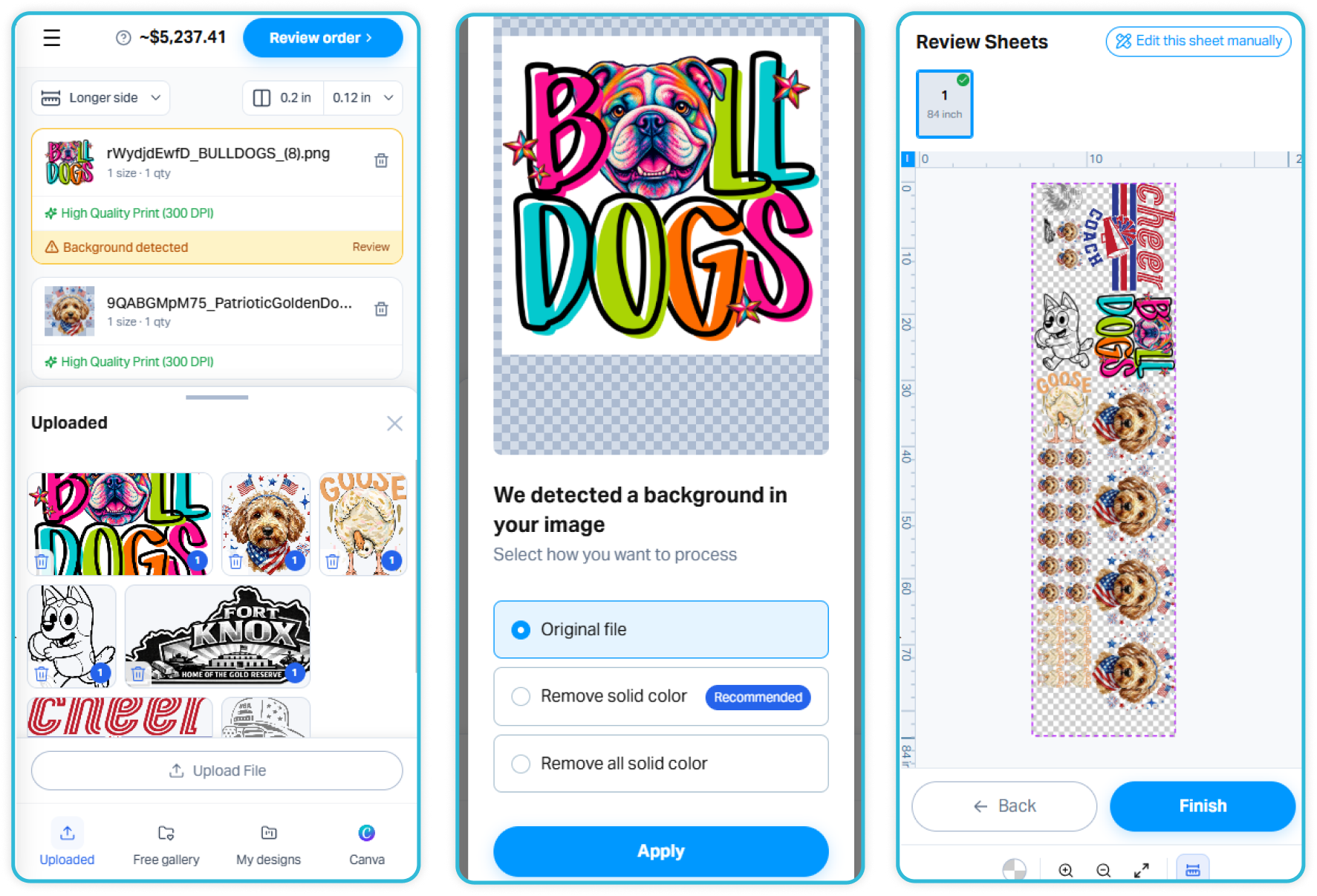
The new interface is fully responsive and built around the way people naturally use their phones. Instead of cramped pop-up windows, the builder uses clean bottom sheets and thumb-friendly navigation. The order summary remains easy to access, while smooth scrolling makes reviewing the completed sheet more convenient. Customers can now move from discovering a product to placing an order without switching devices.
Give Customers More Ways to Add Their Designs
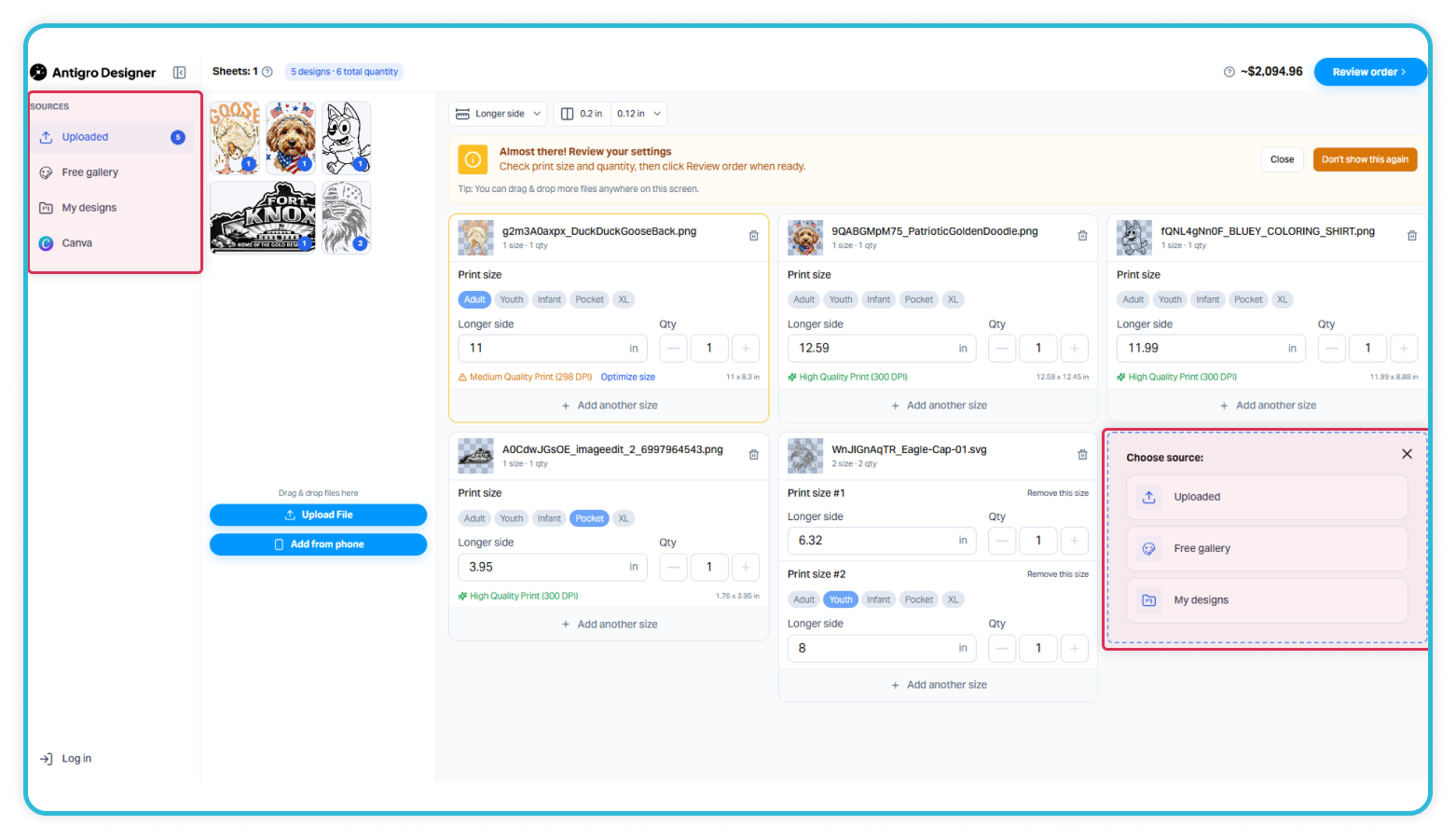
Customers’ files are not always stored in the same place. Some designs may be saved on a phone or computer, while others may be stored in the customer’s Canva account. Customers often also want to reuse artwork from previous orders or choose designs from the graphic library provided by the store.
DTF Gang Sheet Builder 3.0 gives customers several convenient ways to add artwork to their gang sheets. They can upload graphics from a phone or desktop, reuse artwork from previous orders, select designs from the store’s graphic library, or import their own artwork directly from Canva. Once the customer has added all the graphics and selected the quantities and size presets, the software automatically prepares the gang sheet. If no further adjustments are needed, the customer can review the result and proceed with the order within seconds.
Detect and Remove Backgrounds Automatically
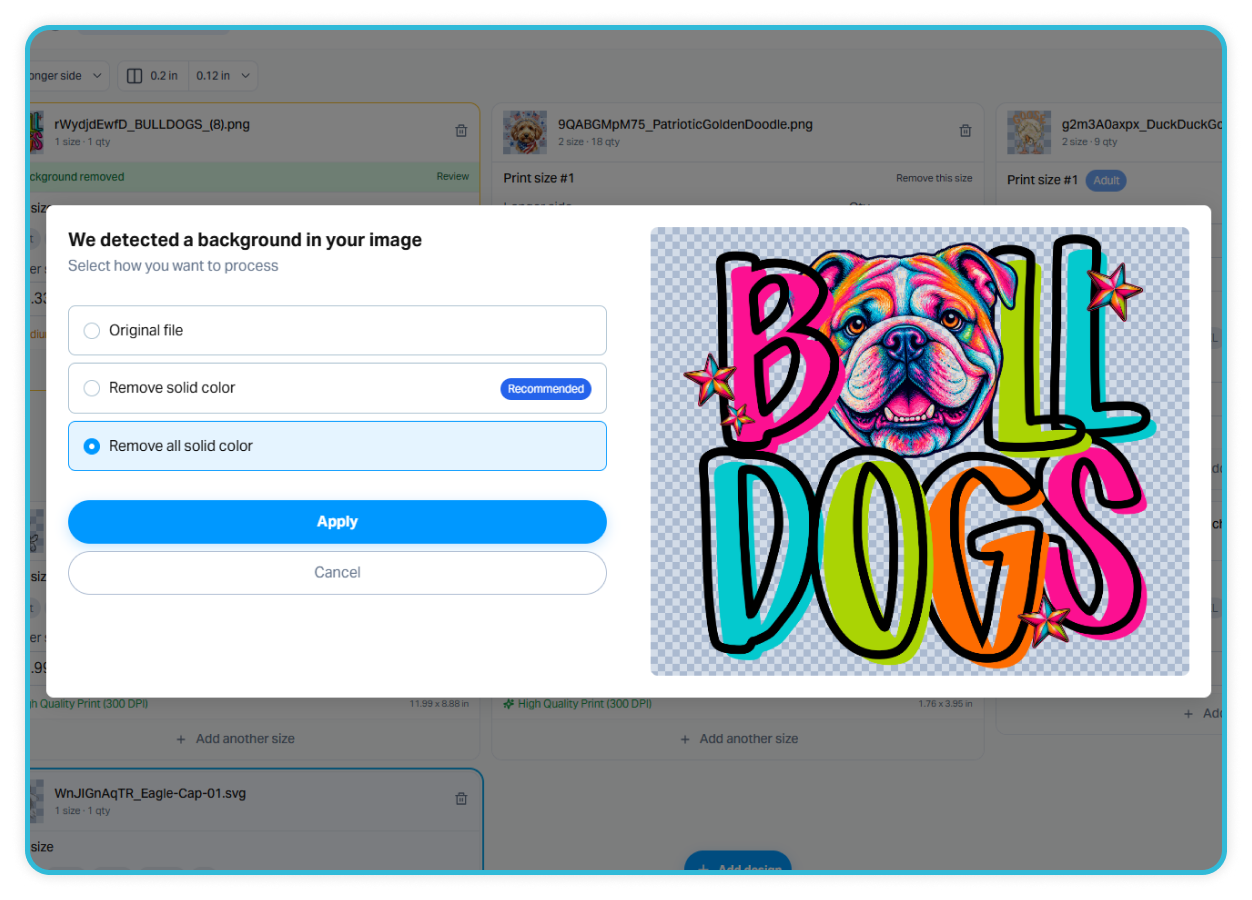
Unexpected backgrounds in uploaded graphics can lead to production issues or prints that do not match the customer’s expectations. DTF Gang Sheet Builder 3.0 includes automatic background detection. When artwork is uploaded, the system checks whether the file contains a background and suggests removing it. The customer can remove the background directly inside the builder with one click. There is no need to use an external background-removal tool. This makes preparing artwork easier and helps customers create cleaner, more professional, print-ready files.
Help Customers Easily Choose the Right Print Size
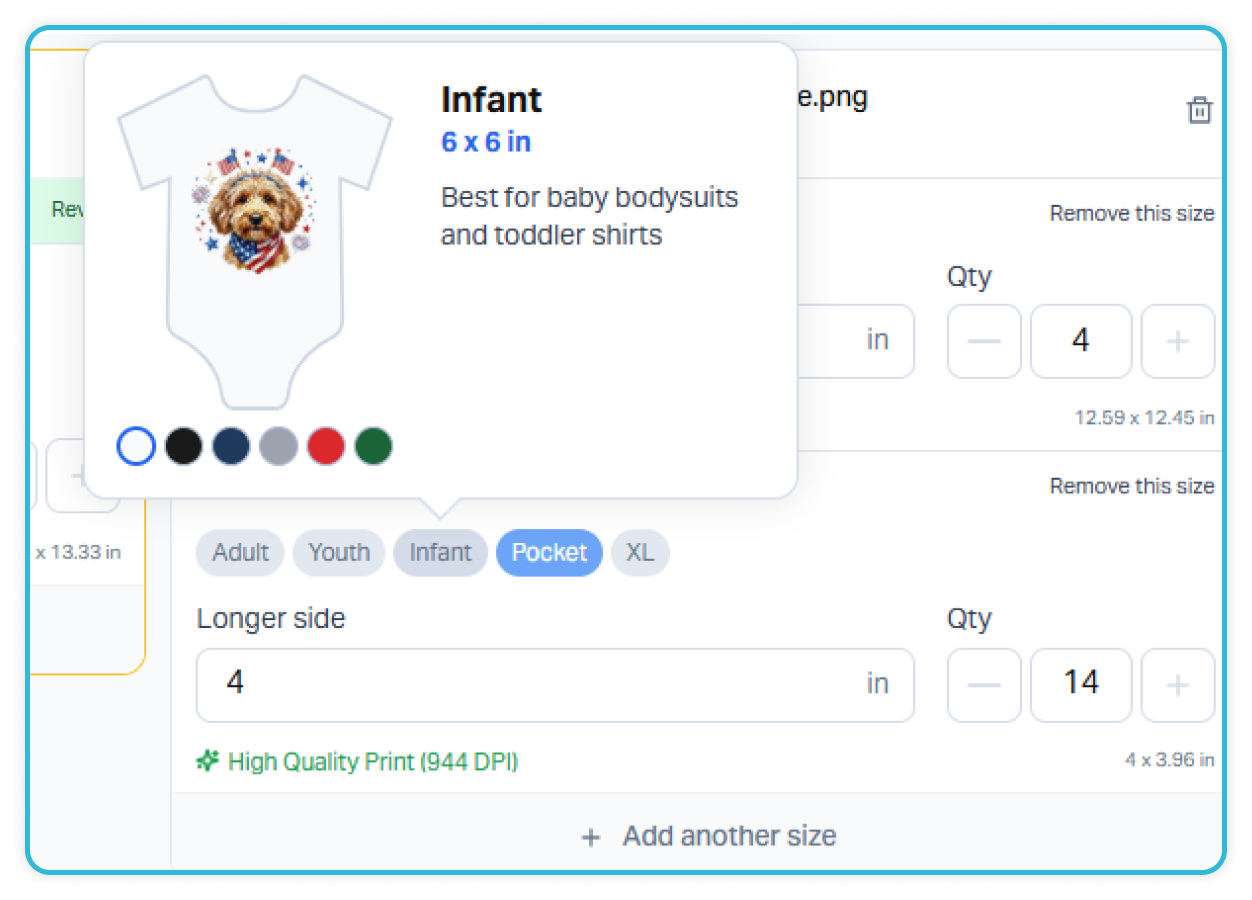
Selecting the right print size should feel simple and intuitive. In DTF Gang Sheet Builder 3.0, customers choose a size based on the intended use of the design, rather than having to enter or remember precise file dimensions. Users can choose practical presets such as: Pocket, Infant, Youth, Adult, or XL. Each preset is supported by a T-shirt mockup and a short explanation of its recommended use. This helps customers understand how the graphic may look on the final product and select the right option with greater confidence.
Customers who need a custom size can enter their own measurements. They can specify only the longer side of the graphic and let the builder automatically maintain the correct proportions, or switch to manual mode to set both the width and height themselves.
Make It Easier for Customers to Order the Same Graphic in Multiple Sizes
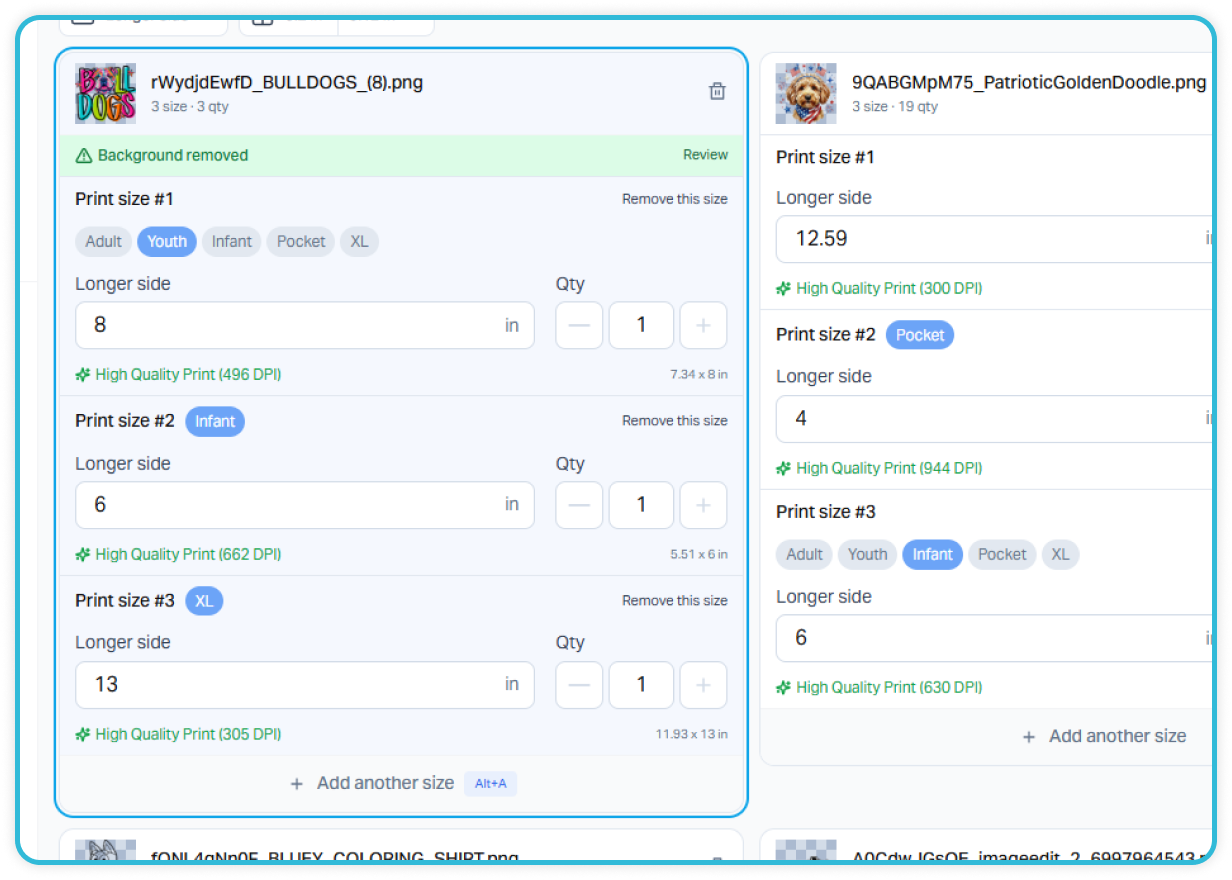
Ordering several size presets of the same design should not mean uploading the same file multiple times. Customers can add one graphic, click “Add Another Size,” and create different size versions of the same artwork – for example, Pocket and Adult sizes. This is especially helpful when your customers are preparing the same design for different garments, placements, products, or age groups. It keeps the order organized and makes the setup process significantly faster.
Show Customers the Price as They Build Their Order
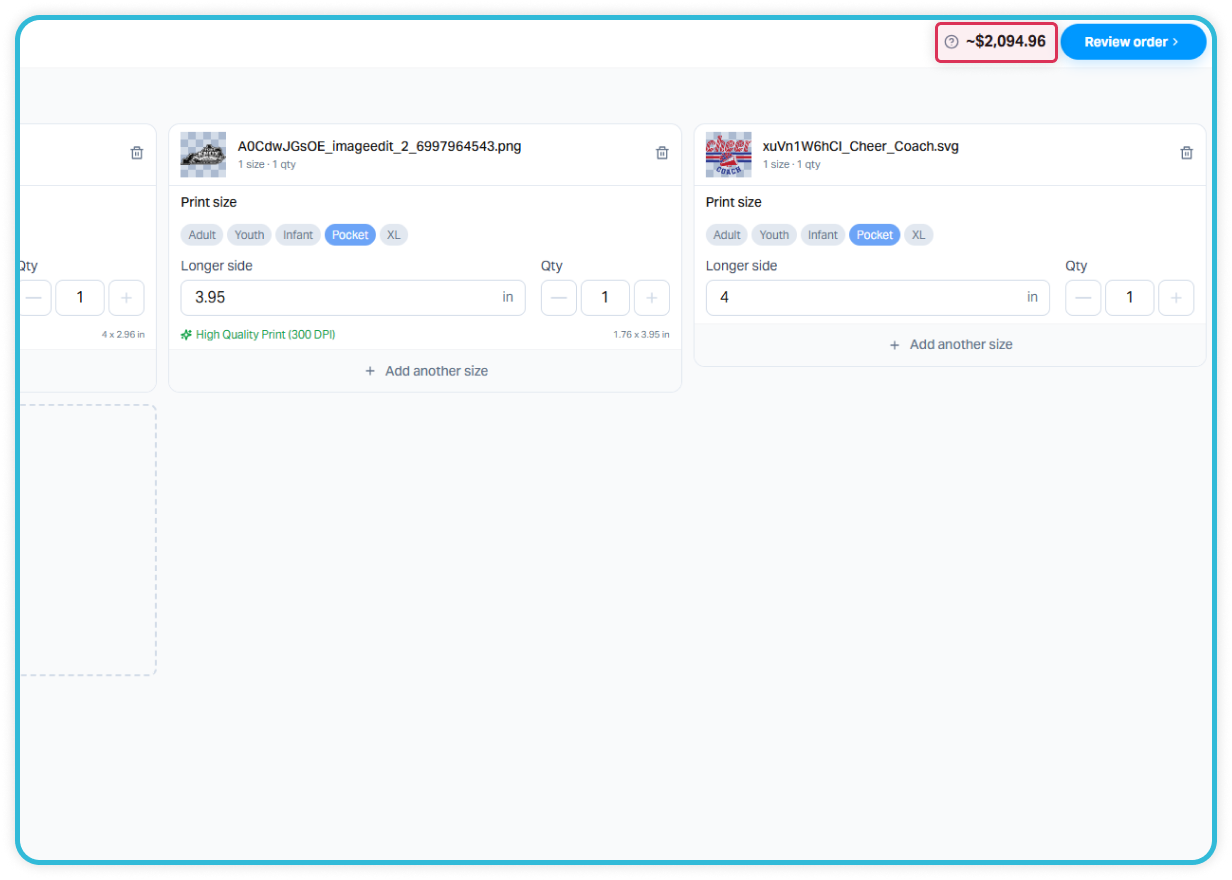
DTF Gang Sheet Builder 3.0 updates the price in real time, so customers can instantly see how their choices affect the total cost. File sources stay accessible in the sidebar, designs remain in the center, and essential order information, including the current price, is always visible in the header. Any change to the quantity or size of the graphics is reflected in the price immediately. This gives customers greater control over their order, helps them stay within budget, and reduces the risk of cart abandonment caused by unexpected costs at checkout.
Simplify Login and Reuse Previous Artwork
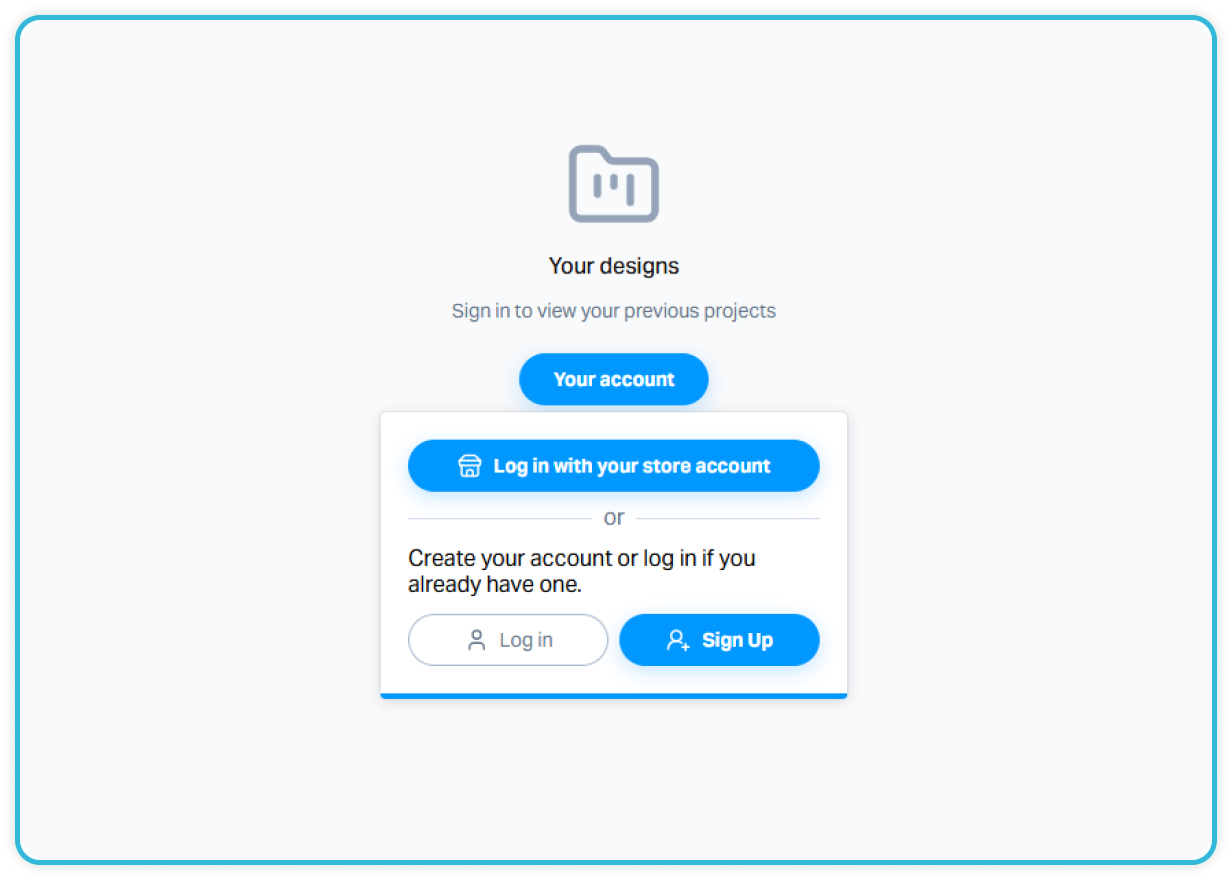
Returning customers should not have to upload the same graphics every time they place an order. With DTF Gang Sheet Builder 3.0, customers can continue using their Shopify Store Account, with no separate account required. After logging in, they can access artwork from previous orders and quickly reuse, resize, or adjust their existing designs.
New customers can also create an account to securely save their uploaded artwork and make future orders faster. This simplifies repeat ordering and gives customers another reason to return to the store when they need more DTF prints.